 Earshot
AI meeting notes. No bot in your call.
Earshot records meetings right on your computer, both sides of the conversation, in any app, then turns them into clean notes, action items and answers. Free and open source when you bring your own AI keys, or let Earshot Plus handle everything for $9 a month.
Windows 10/11 · macOS 14.4+ (Apple Silicon) · 7-day free trial · cancel anytime
Everything a bot notetaker does, without the bot.
Records where the meeting happens
Zoom, Teams, Meet, a phone on speaker, if you can hear it, Earshot can record it. It captures your microphone and the other side as separate channels, with no browser extensions and no meeting-app integrations to break. Call detection notices when a meeting starts and offers to hit record so you don't have to. On Windows and now on the Mac, where system audio is captured natively, no virtual driver to install.
Transcripts that know who said what
Because your voice and theirs are recorded on separate channels, speaker attribution isn't a guess, "Me" and "Them" are physically separate audio. Multi-hour meetings are handled automatically: Earshot splits long recordings at quiet moments and stitches the transcript back together.
Notes that end with action, not homework
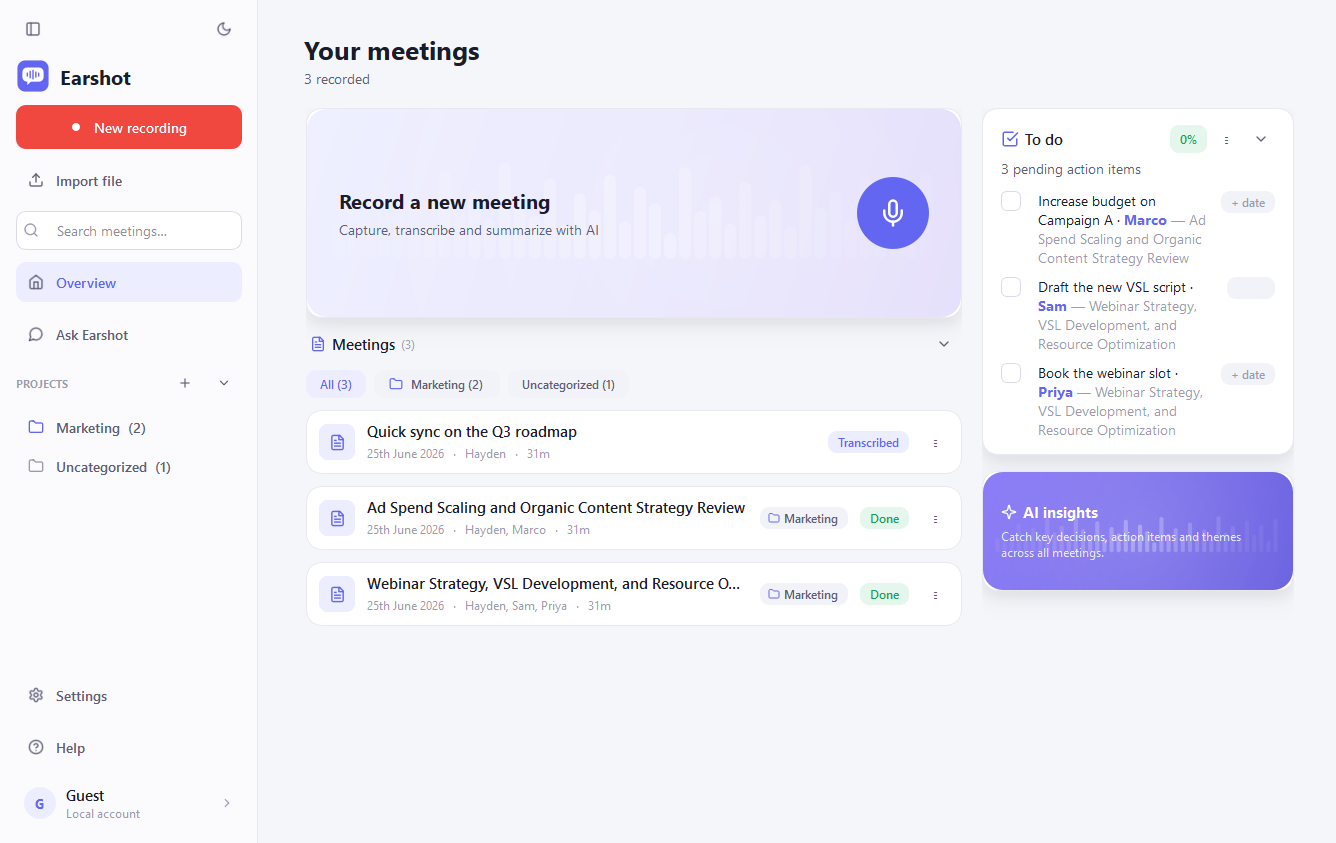
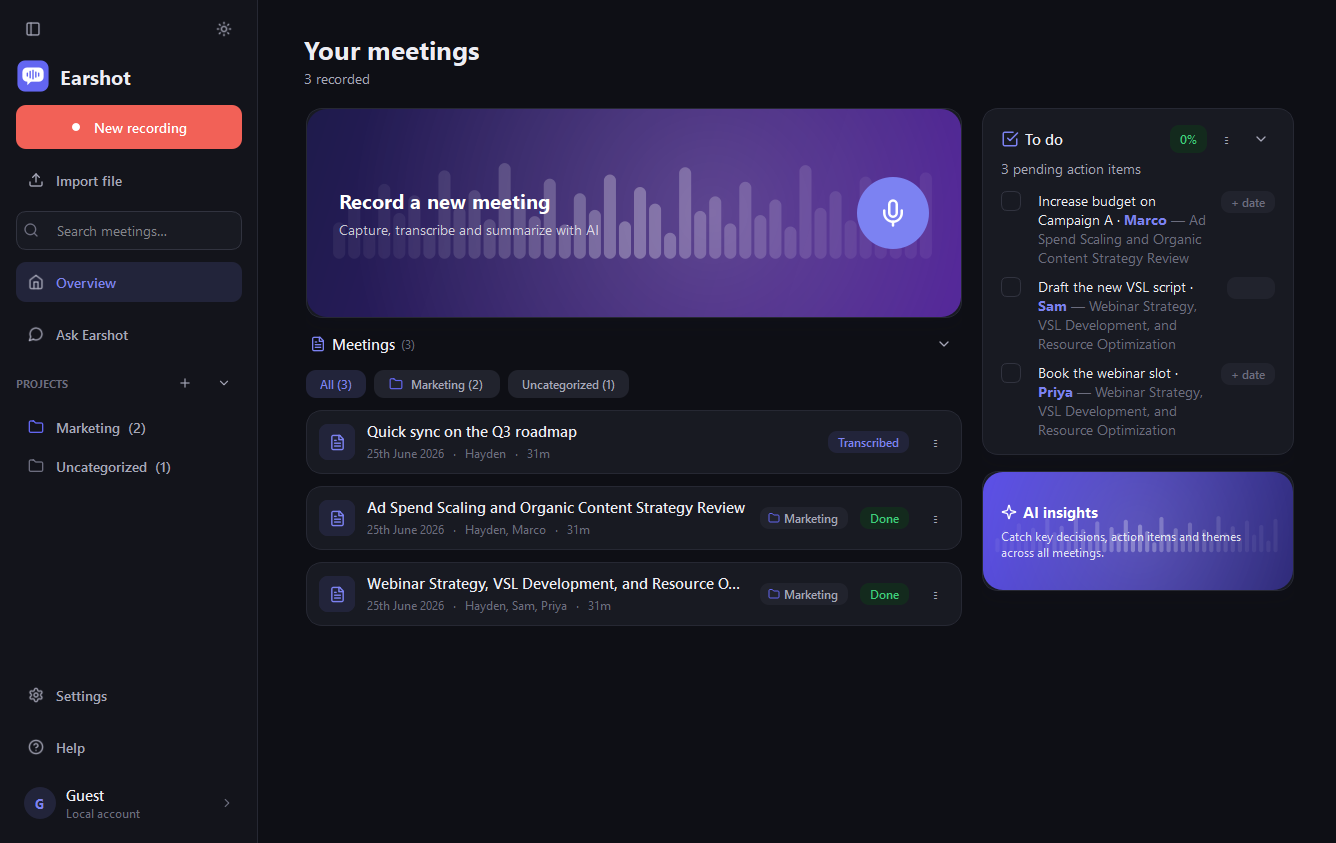
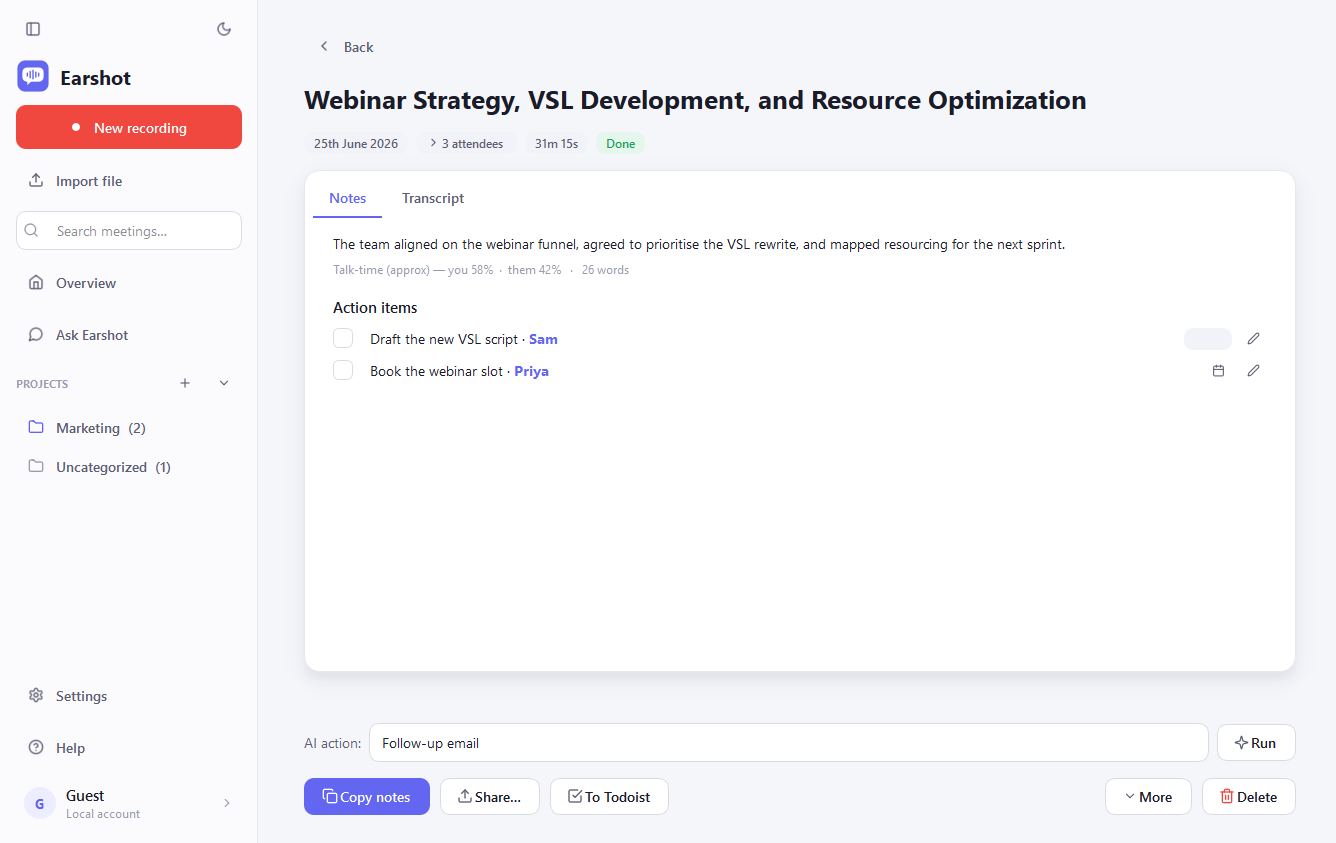
Every meeting gets a tight summary, the key decisions, and a list of suggested action items, suggestions, because you approve, edit or dismiss each one before it counts (or clear the lot with Keep all / Delete all). If the meeting named a deadline, the due date is filled in; if it didn't, it stays blank instead of being invented. Open items from every meeting roll up into one to-do list on your Overview, ready to send to Todoist or paste into Notion as real checkboxes.
Ask Earshot anything
"What did we agree with the builder about the retaining wall?" Ask across one project or every meeting you've ever recorded, and get an answer with quoted receipts, every claim is backed by a line from a real transcript, verified before it's shown. It drafts too, ask for the follow-up email a meeting calls for, and every chat is saved so you can pick it up later.
Organised the way you work
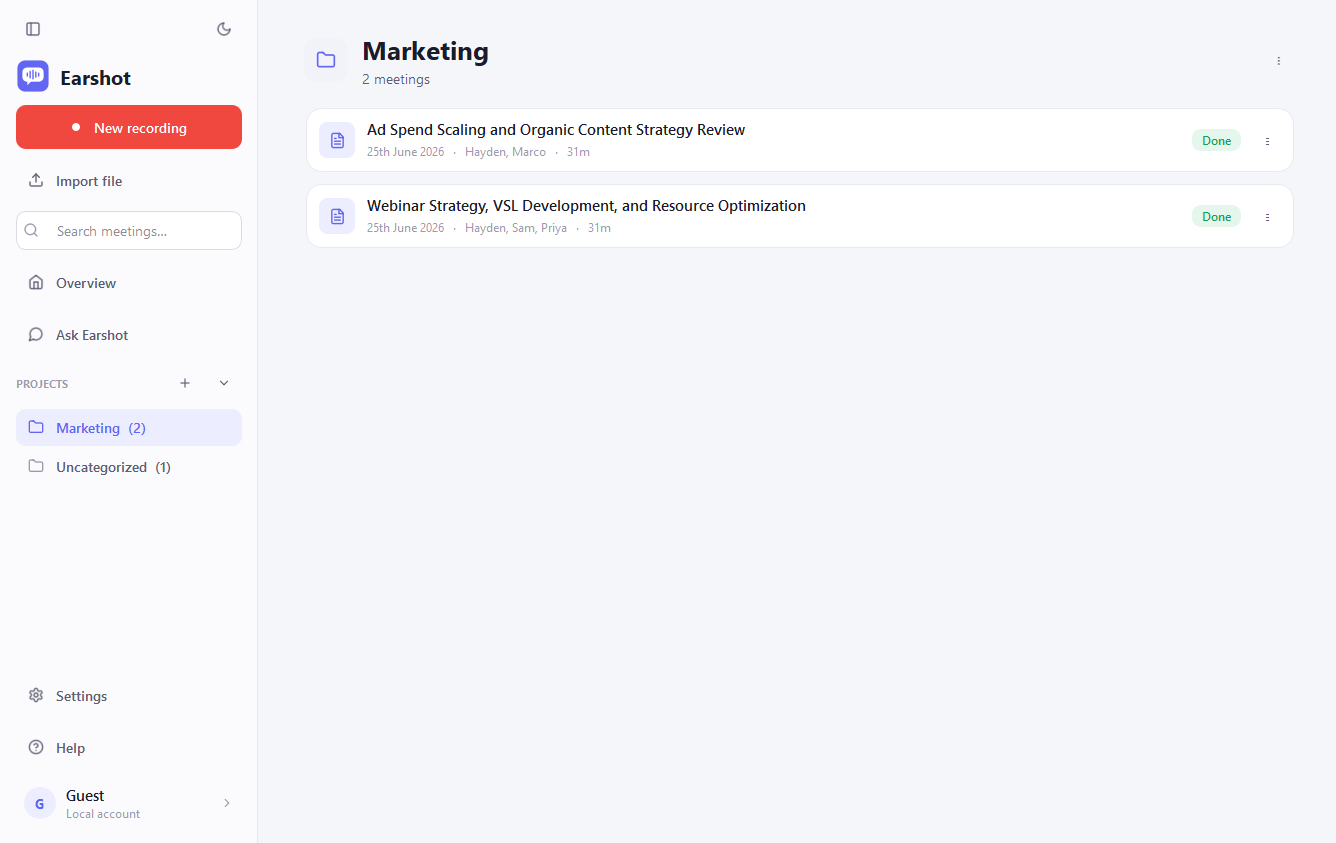
Group meetings into projects, file any meeting with one click, and filter your Overview by project. Search opens a full results page, and Ask Earshot can be scoped to a single project when you only want answers from one client's meetings.
Walk in already briefed
Heading into a follow-up? Earshot finds the related meetings, same people, same project, and writes your agenda for you: what was decided last time, what's still open, and suggested talking points, straight into the meeting's agenda box. The AI reads that brief too, so this meeting's notes come out sharper.
Decided last time
Retaining wall capped at 900 mm, rendered to match the house; builder covers the ag-drain.
Still open
Council sign-off timing · who books the surveyor · final render colour.
Suggested talking points
Confirm the drainage cost split, lock the revised timeline, agree the next site visit.
Plays well with your tools
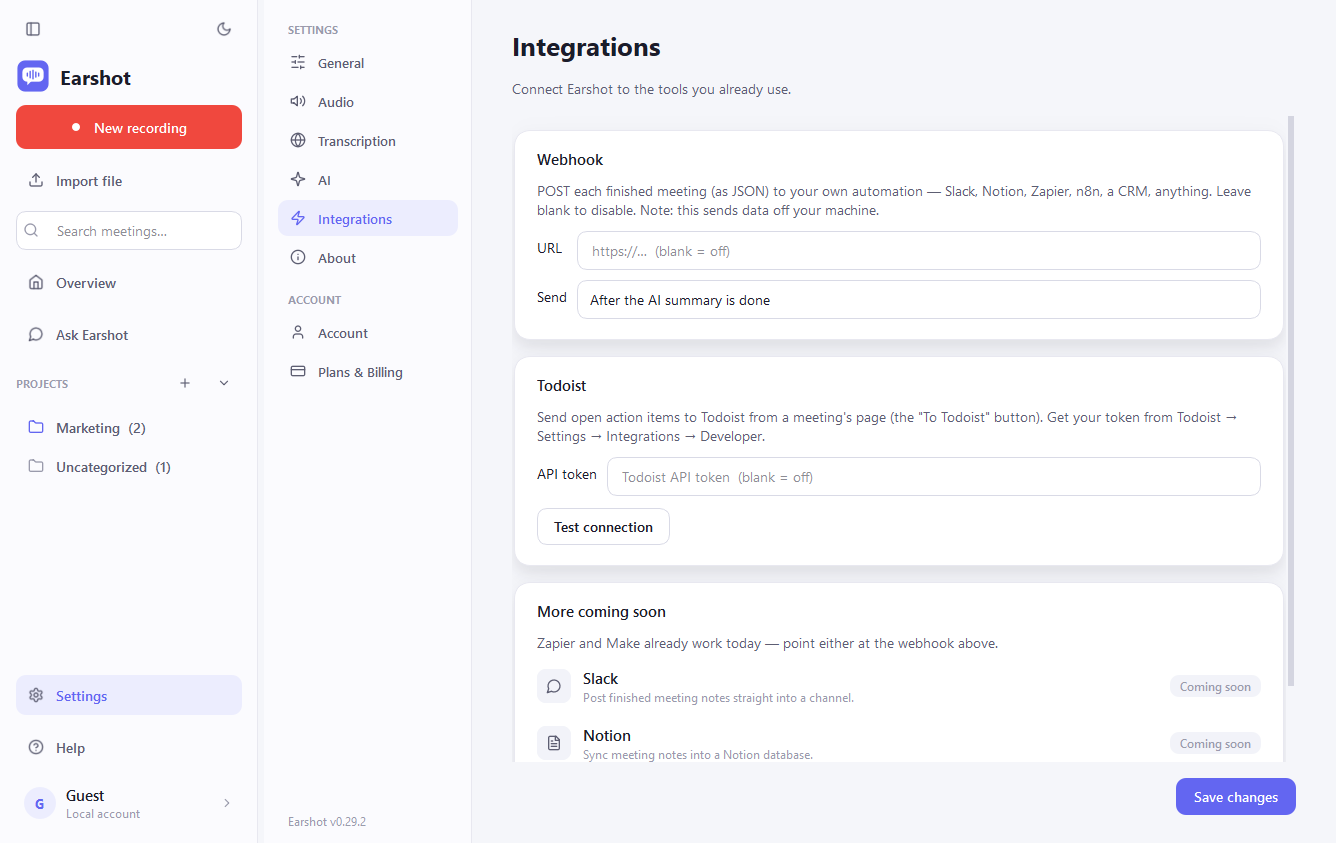
Send approved action items to Todoist with one click, due dates included. Fire a webhook when notes are ready and route them anywhere Zapier or Make can reach: Slack, Notion, your CRM. Share a meeting as a clean, self-contained page, or, on Plus, publish it as a private link that only people you send it to can open, and take it down anytime.
Your meetings are nobody else's business.
Recordings are stored on your computer, there is no Earshot server copy.
Self-hosting? Audio goes only to the AI providers you configure, with your keys.
On Earshot Plus, audio passes through our proxy to be transcribed and is discarded, processed, never stored.
Your conversations are never used to train AI models.
Record. Read. Act.
Record
Click record (or let call detection offer). Earshot captures both sides locally, even for hours-long sessions.
Read
A tight summary, decisions, and action-item suggestions appear, approve what's real, dismiss what isn't.
Act
Tick items off the Overview to-do list, send them to Todoist, ask Earshot questions later, with receipts.
Simple pricing, honest split.
Self-host Earshot free forever with your own keys, or subscribe and let us run the AI. Same app either way.
Self-host
Bring your own keys. Own everything.
- All core features, recording, transcripts, notes, action items, projects, Ask Earshot, integrations
- Use your own Whisper server, Groq, Deepgram or OpenAI for transcription
- Use your own Claude, OpenAI-compatible or fully local model for notes
- Your data never touches our servers
- Open source under the MIT licence, audit and fork freely
Earshot Plus
Zero setup. We handle the AI.
- Everything in Self-host, with no API keys and no configuration
- Managed transcription, fast, accurate models, 40 hours per month
- Managed AI notes, action items, prep briefs and Ask Earshot
- Hosted share links, publish notes as a private page
- Earshot Cloud sync across devices rolling out
- Priority email support
Cancel anytime. Billed by Paddle; local taxes handled at checkout.
Feature by feature
| Feature | Self-host (Free) | Earshot Plus ($9/mo) |
|---|---|---|
| Local dual-channel recording | ✓ | ✓ |
| Call detection + recording overlay | ✓ | ✓ |
| Transcription | Your keys / your server | Managed, 40 h/month |
| AI notes, action items, due dates | Your keys | Managed |
| Ask Earshot (with citations) | Your keys | Managed |
| Projects, prep briefs | ✓ | ✓ |
| Todoist + webhook integrations | ✓ | ✓ |
| Share meeting as a page | Local file | Local file + hosted share links |
| Sync across devices | – | Rolling out |
| Support | GitHub issues | Priority email |
| API keys required | Yes | None |
Fair use. Plus includes 40 hours of meeting audio per month, more than a meeting-heavy full-time calendar. Hit the cap and transcription pauses until your cycle resets (notes and Ask keep working); nothing is deleted and you can always switch a meeting to your own key. Need more than 40 hours? Contact us for custom pricing.
Billing questions
The meeting's over. The notes are done.
Try Earshot Plus free for 7 days, or self-host it free forever.